

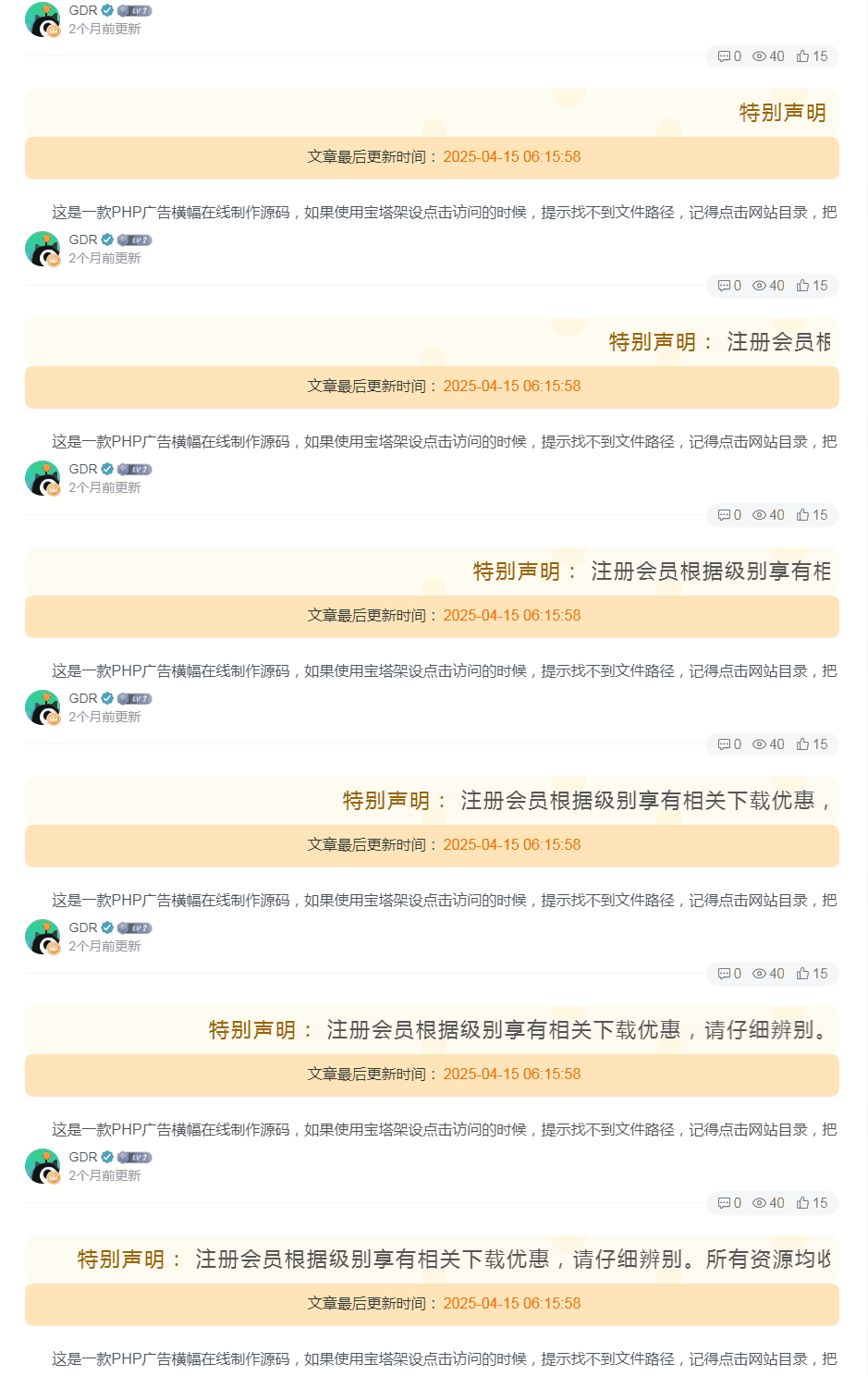
这是一款子比主题的滚动公告条的代码,很简约,而且什么网站都是通用的,喜欢的自行部署吧!
代码部署
定位:WP后台–>>外观–>>小工具–>>自定义HTML,将下面的代码放到里面,放到你自己喜欢的位置!
<div class="zibi2024-banner tf-banner">
  <marquee>
    <span style="color:#996300">特别声明:</span>
    注册会员根据级别享有相关下载优惠,请仔细辨别。所有资源均收集于互联网仅供学习、参考和研究,请理解这个概念,所以不能保证每个细节都符合你的需求,也可能存在未知的BUG与瑕疵, 你下载的资源和程序源码组件因其特殊性均为可复制品,所以不支持任何理由的退款兑现,请认真阅读本站声明和相关条款后再点击支付下载。
  </marquee>
</div>
<style>
.zibi2024-banner.tf-banner {
    position: relative;
    background-image: url('https://res.qkget.cn/wp-content/themes/ITLY/images/icon-recommend-top-bg.svg');
    background-size: auto 100%;
    display: flex;
    justify-content: center;
    align-items: center;
    color:#555;
    font-size:22px;
    padding:20px;
    letter-spacing: 2px;
    border-radius: 5px;
}
.zibi2024-banner.tf-banner::before,
.zibi2024-banner.tf-banner::after {
    content: '';
    position: absolute;
    top:0;
    background-size: auto 100%;
    background-repeat: no-repeat;
    height: 100%;
    width: 200px;
    display:none;
}
.zibi2024-banner.tf-banner::before {
    background-image: url('https://res.qkget.cn/wp-content/themes/ITLY/images/icon-recommend-top-left.svg');
    left: 0;
}
.zibi2024-banner.tf-banner::after {
    background-image: url('https://res.qkget.cn/wp-content/themes/ITLY/images/icon-recommend-top-right.svg');
    background-position: center right;
    right: 0;
}
@media screen and (max-width:600px){
  .zibi2024-banner.tf-banner{
    padding:10px;
    font-size:18px;
  }
}
</style>
图片素材:
THE END
您还感兴趣的文章




评论